Helping pet owner connect with pet sitters, who match their vibe and schedule

Project summary
Tirivelo originally operated as a desktop-first platform. The goal of this project was to translate the desktop experience into a mobile-first product without losing functionality, clarity, or usability - while optimizing for touch interaction and smaller screen constraints.
Problem
Tirivelo’s desktop-first platform relied on multi-column layouts, hover interactions, and dense dashboards that did not translate effectively to mobile. The objective was to restructure complex workflows into a touch-optimized experience while preserving functional depth.
My Role
This project was completed collaboratively with 3 designers and 2 engineers. I contributed across multiple user journeys, supporting mobile information architecture decisions, interaction patterns, and usability refinements. My primary focus was the Pet Details flow, where I owned the design and iteration of translating complex desktop data requirements into a structured, mobile-first multi-step experience.
Restructuring onboarding and profile setup into a guided, mobile-first experience, the team achieved a 90% onboarding completion rate during usability testing.
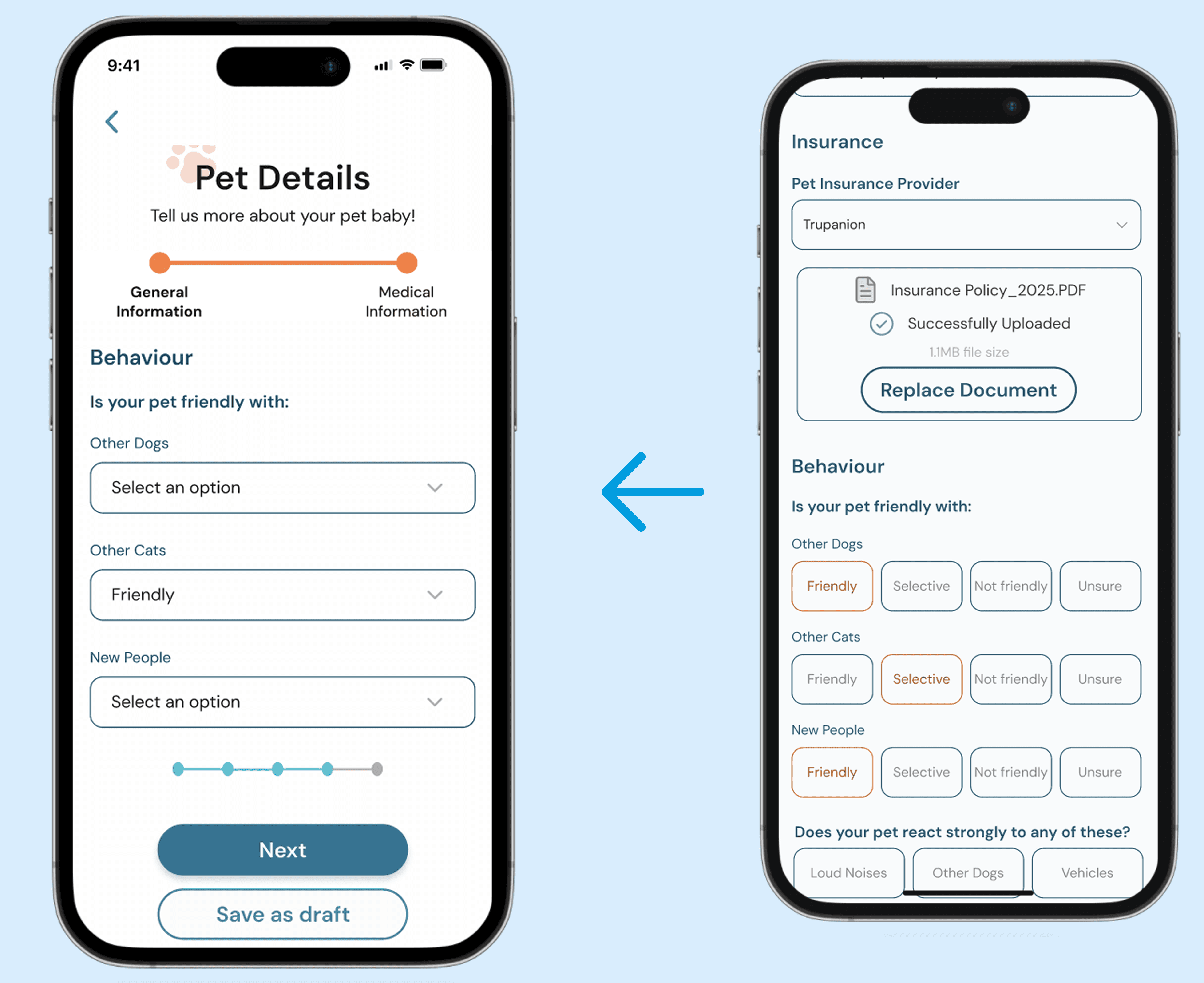
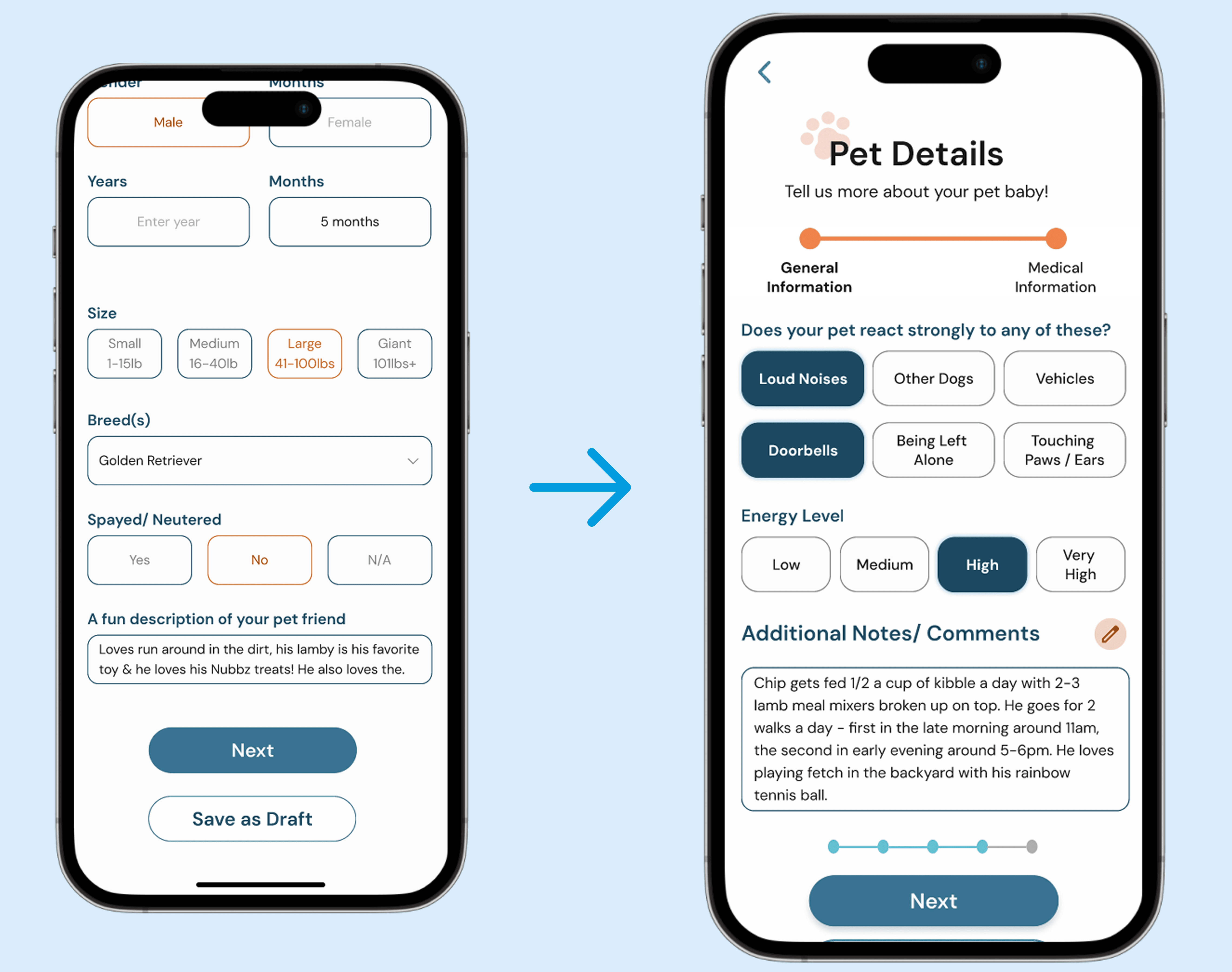
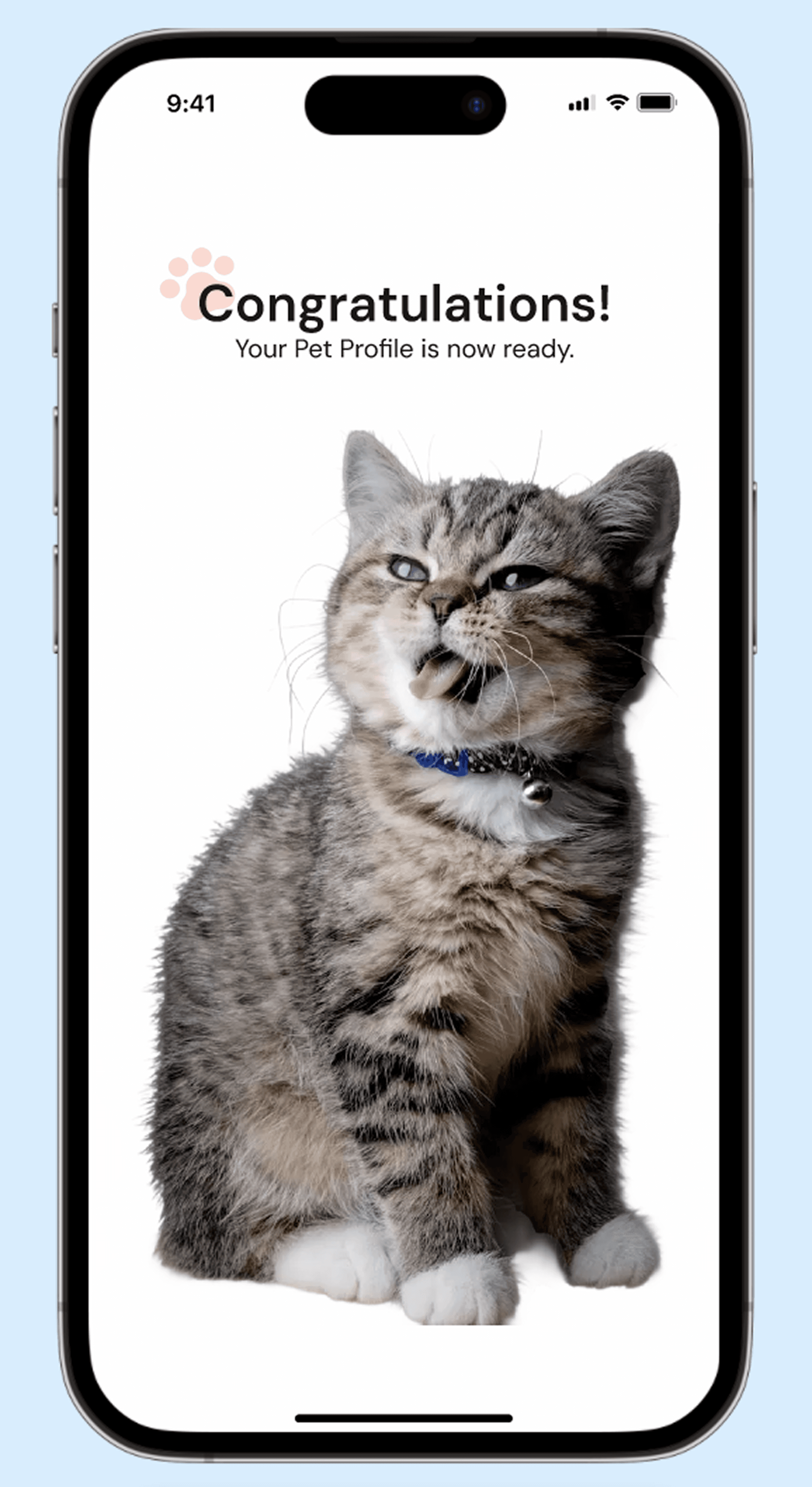
The Pet Details flow was divided into bite-sized, progressive steps to reduce overwhelm. A dynamic progress indicator and subtle gamification cues reinforced forward momentum, resulting in a 100% completion rate during usability testing.
Overall Process
Strategic Translation: Logic Over Layout
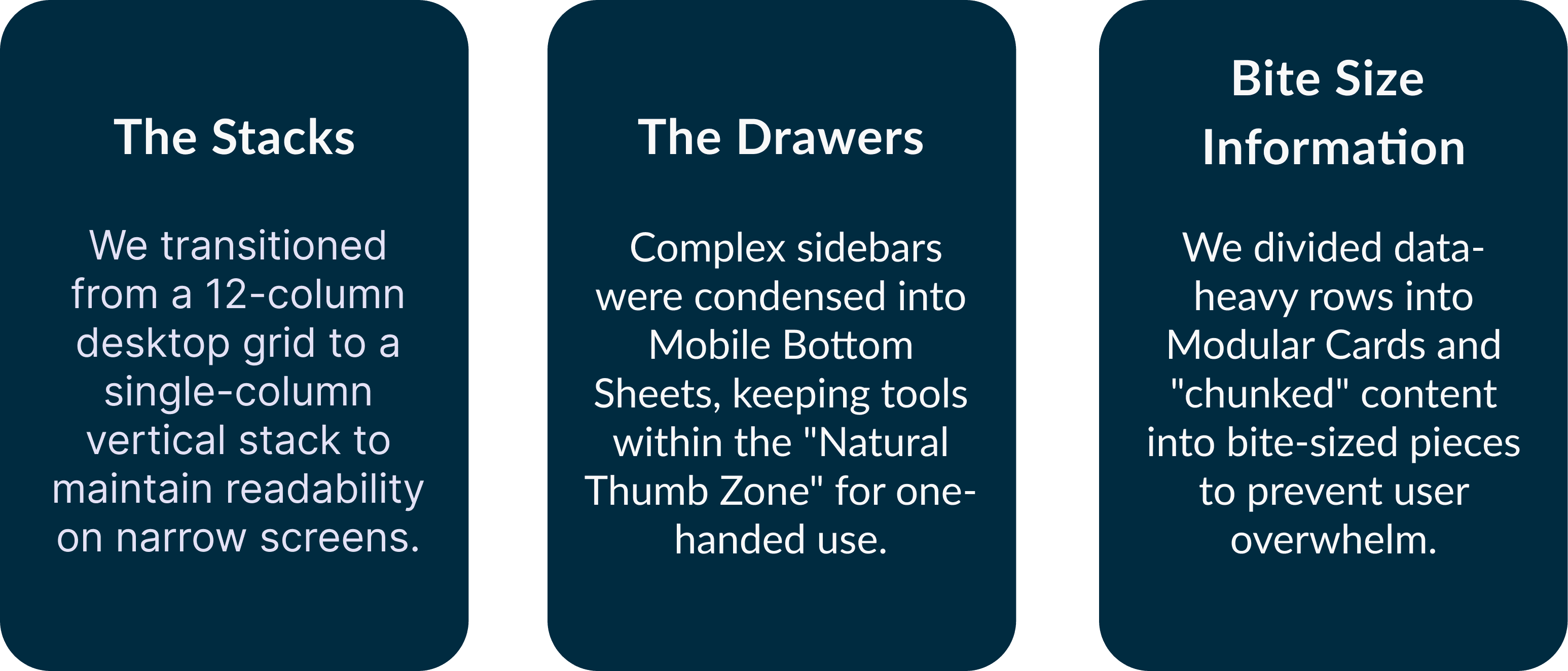
Mobile-First Logic & Component Building
Because mobile lacks a "hover" state and has limited space, the team created extra steps to make the experience more intuitive:
Hover to Tap: Since hover states don't exist on mobile, we replaced desktop's info with clear tap-trigger steps and dedicated detail screens to ensure no information was lost.
Desktop layout
Mobile Layout
Overlays: we created full-screen overlays to make selections easier for fingers to hit and also to in take the information, one step at a time.
Accessibility & WCAG Compliance: To ensure the platform is inclusive, the team adhered to WCAG 2.1 AA standards. We conducted contrast ratio audits for all typography and ensured that every interactive element met the minimum tap target requirement.
Adaptive Design System: The team built a dedicated mobile library from the ground up, establishing a new typographic scale and a set of touch-first components.

High Fidelity
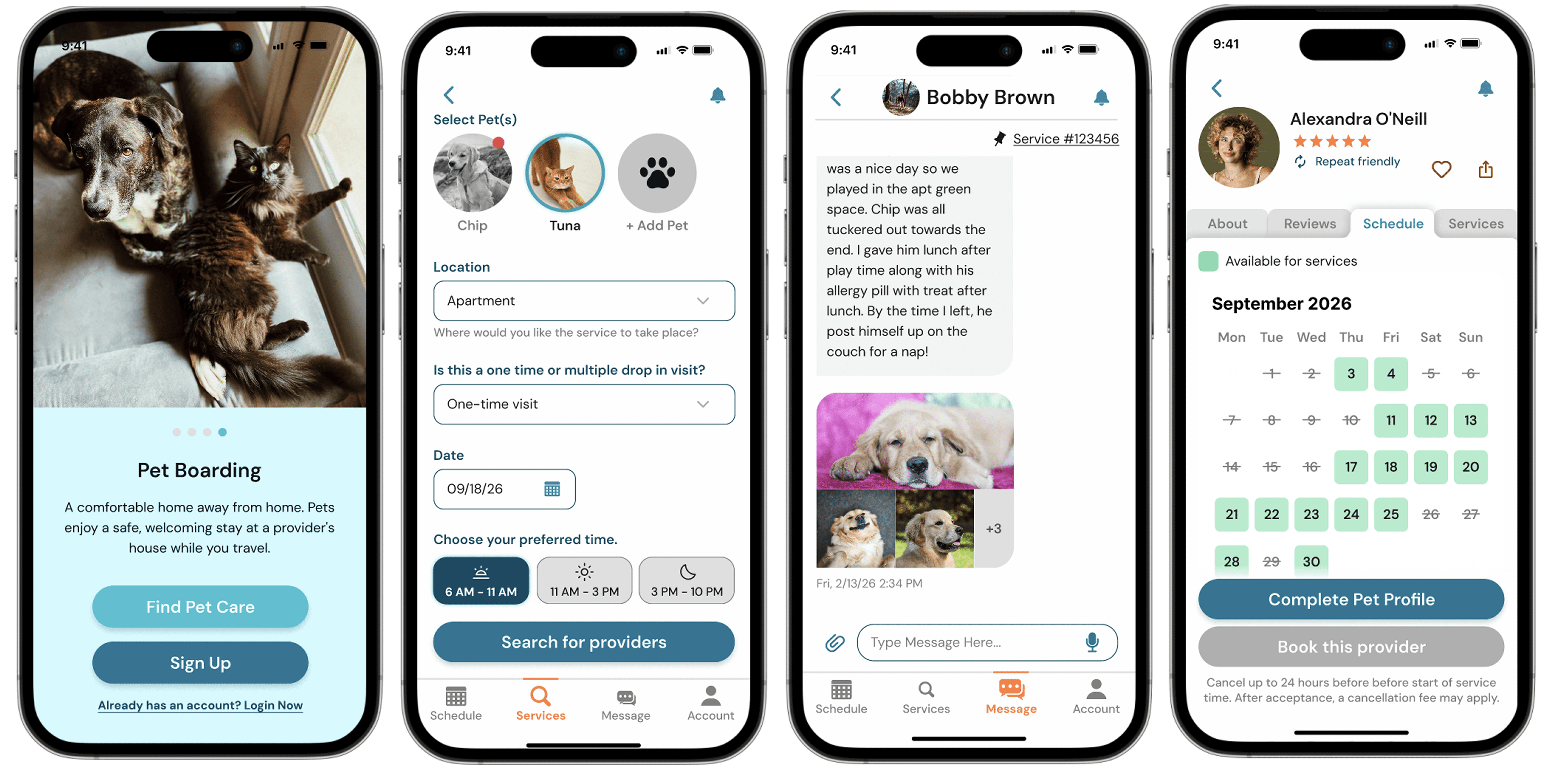
The design was brought into high-fidelity to translate Tirivelo’s complex data into a seamless, mobile-first experience. The team prioritized "bite-sized" information, clear typography, and a strong visual hierarchy to ensure readability on narrow screens. Strategic use of white space and tactile components were polished to reinforce a sophisticated and intuitive feel, while maintaining high accessibility.
Next Step
This project deepened my understanding of mobile-first restructuring and progressive disclosure. Designing the Pet Details flow demonstrated how reducing cognitive load and reinforcing progress can significantly impact task completion.Future improvements would include broader usability validation, behavioral analytics tracking, and iterative refinement of interaction patterns to optimize long-term engagement.