
Prompt
“Design a mobile experience that helps museum visitors connect more deeply with artworks by providing accessible, story-driven insights - without overwhelming them or disrupting their viewing experience.”
Duration : 1 week
Team: Independent
Project Type: Mentor Led Project
Challenge
Many museum visitors enjoy looking at art but struggle to truly connect with it. Wall labels often provide minimal information, while online searches lead to overwhelming results.
GalleryPal aimed to make learning about artworks more personal, intuitive, and enjoyable. Instead of long labels or crowded text, the app focuses on concise, story-driven insights that spark curiosity and emotional connection. By combining clear visuals, optional audio, and gentle reflection tools, GalleryPal helps visitors engage more deeply with each piece while preserving the calm, immersive atmosphere of the museum.
Goal
Design an app that enhances the museum experience by providing short, story-based insights about artworks, helping users understand, connect, and reflect, without losing the magic of the moment.
Design Sprint
I used the Google Ventures (GV) Design Sprint framework for this project because it offered a structured yet creative way to solve complex user problems in a short amount of time. This five-day process guided me from understanding real user needs to ideating, prototyping, and testing a tangible solution — all within one focused week.
Each day built on the previous one, moving through clear stages of

Understand
To start, I interviewed both museum visitors and a professional tour guide to understand what makes an art-viewing experience meaningful
Key Insights
“Most visitors don’t know much about the art before coming in, my goal is to give them a story, so they leave seeing the work differently but at the same time i would love for them to interpret the art as they feel and like”
— Selena Carroll, Museum Guide
User Map
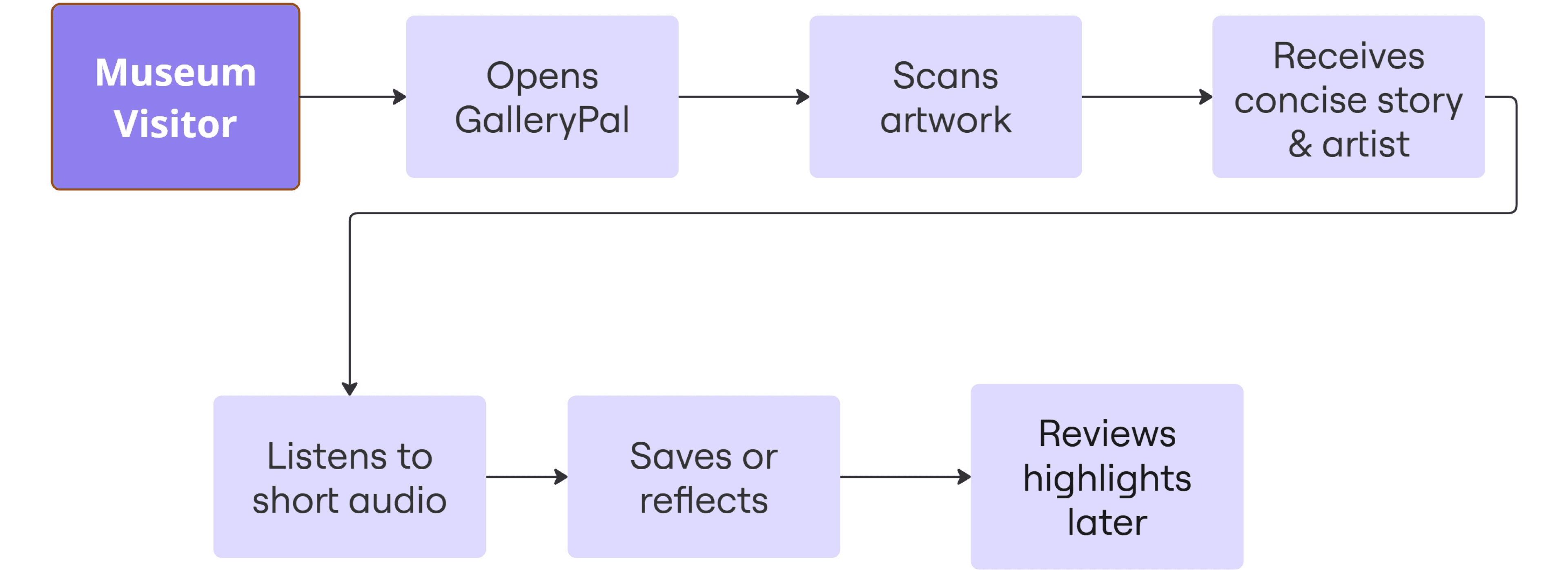
Sketch
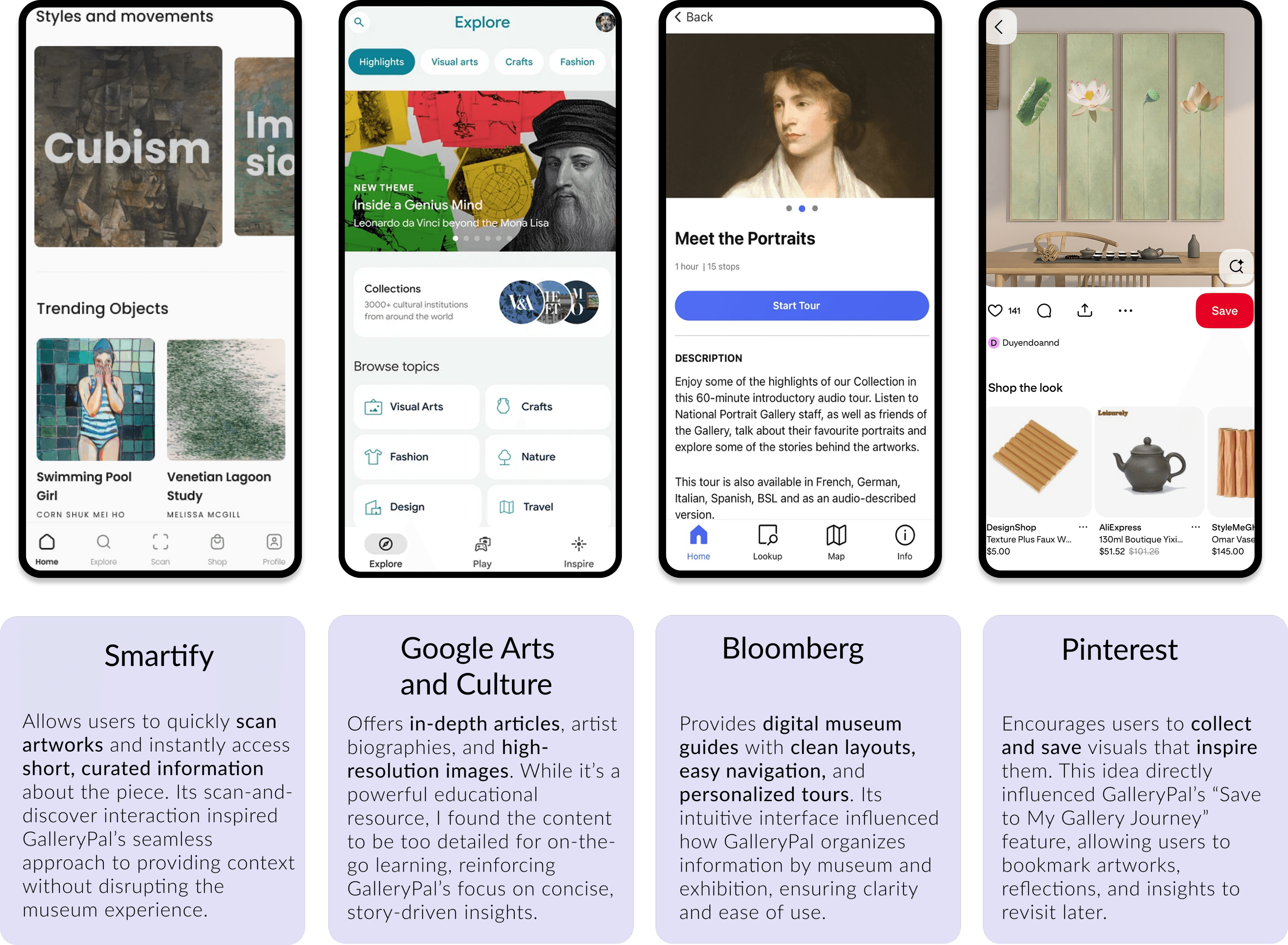
Before sketching solutions, I explored existing products that provide educational and reflective experiences. Through a series of lightning demos, I analyzed different apps to understand their UX/UI approaches - identifying what worked well, what didn’t, and how GalleryPal could offer a more balanced, meaningful experience.
Crazy 8’s
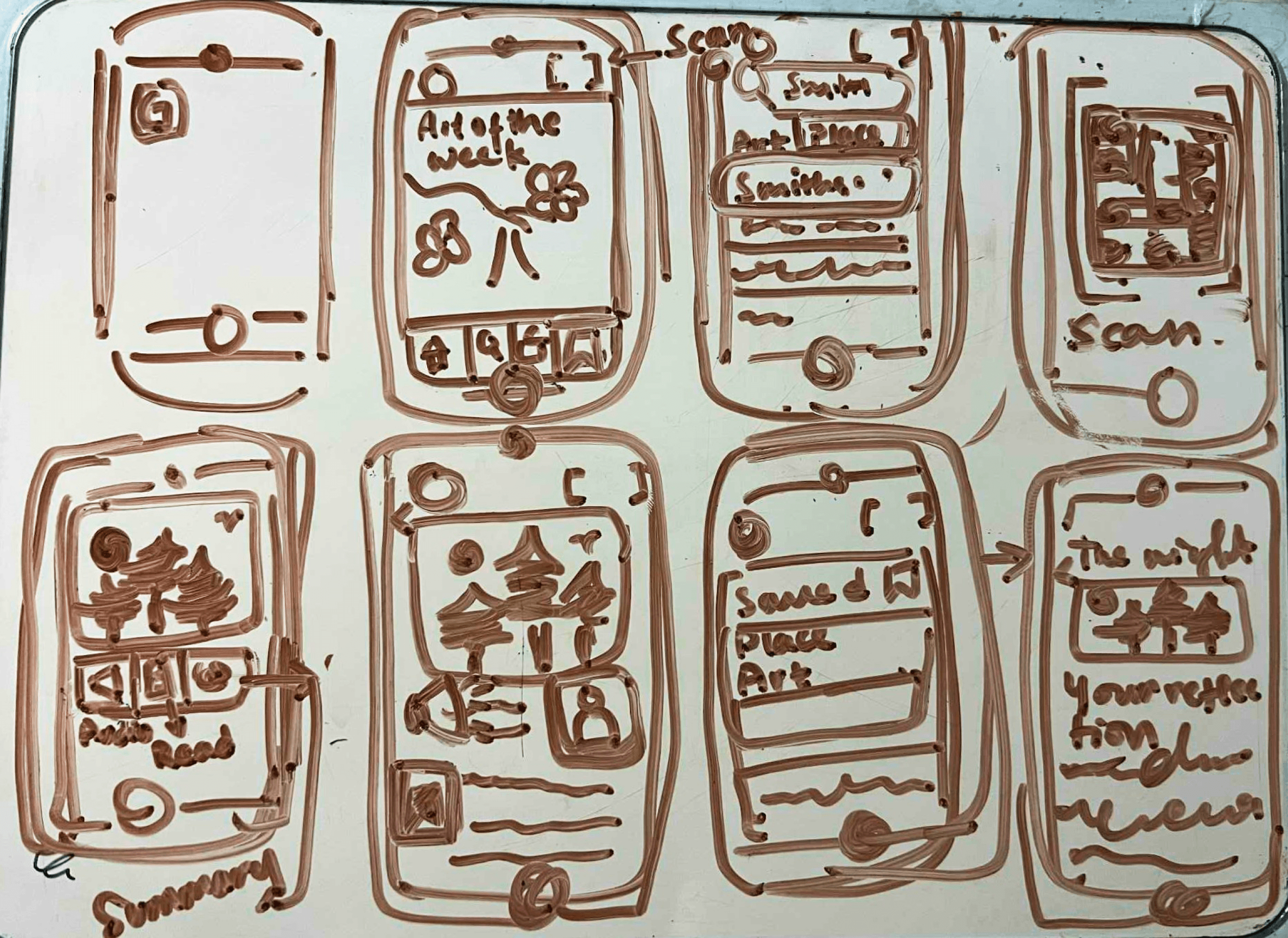
I explored eight variations of how the artwork information screen could present information - testing different layouts and interactions that feel natural inside a museum.
Selected crtical screen
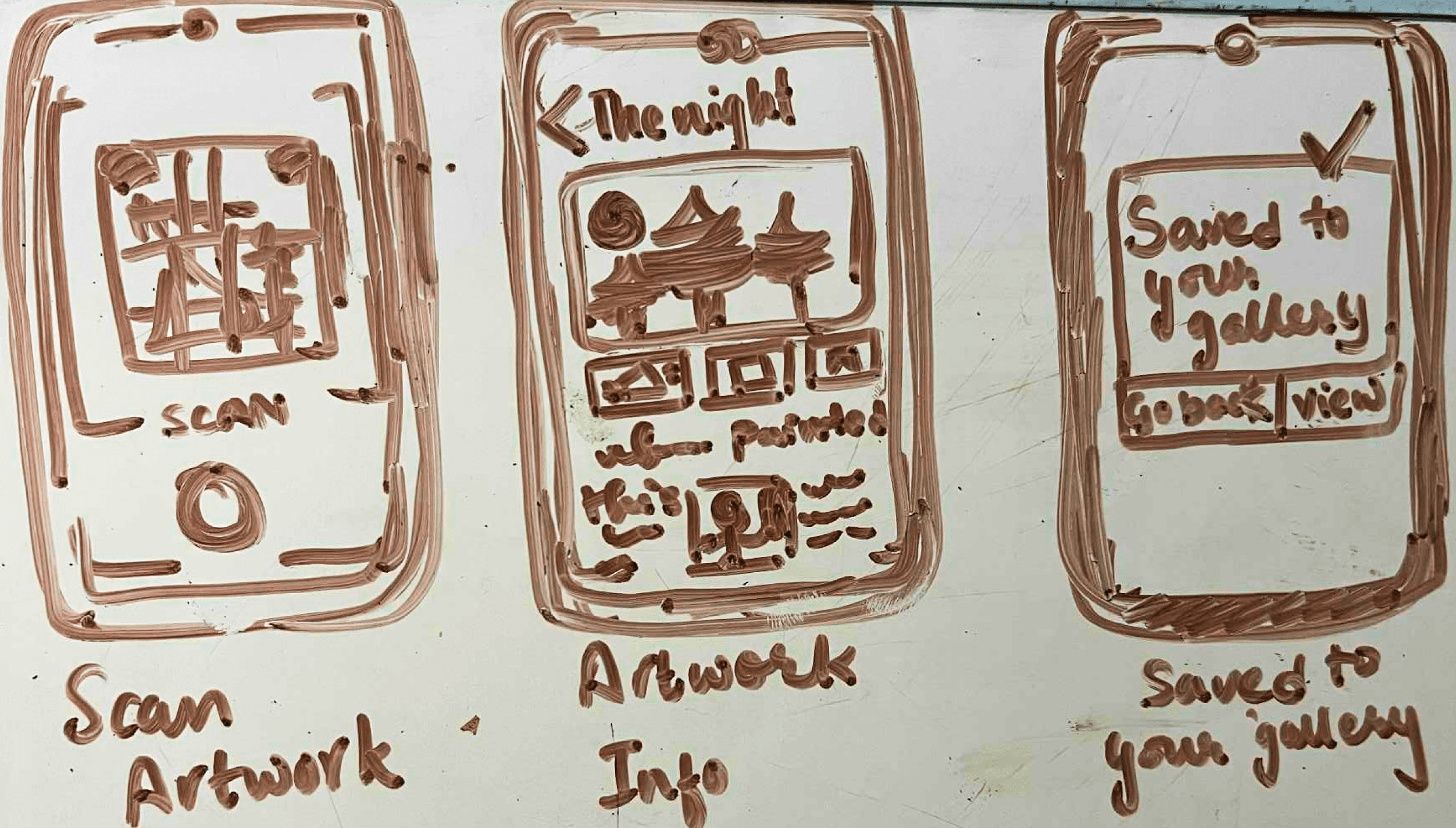
The artwork information screen became the focus. It’s the moment where curiosity turns into understanding - the app’s true value.
Decide
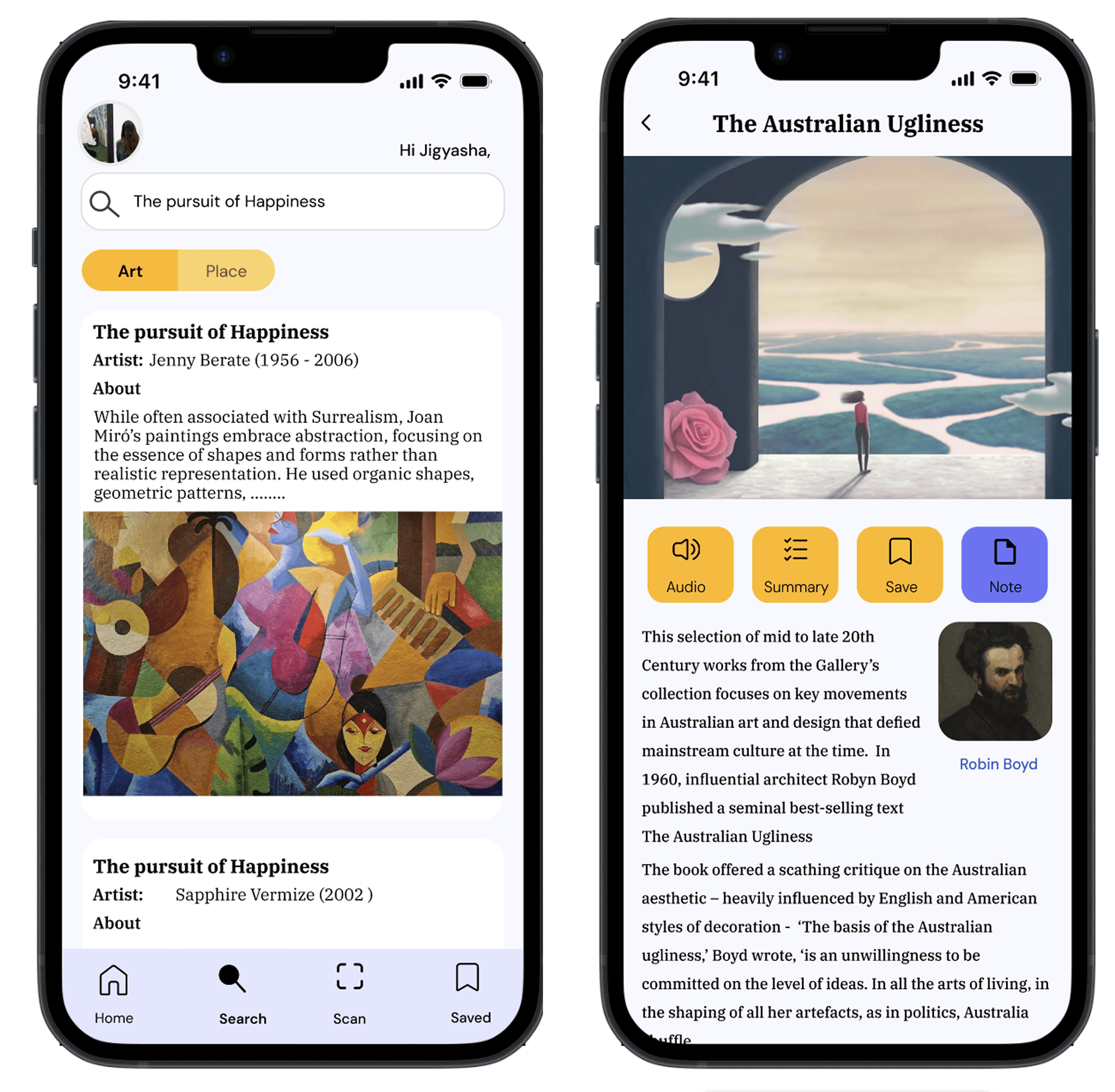
After reviewing multiple sketches, I finalized a design that emphasized clarity, balance, and emotional storytelling, minimal UI that lets art stay at the center.
Prototype
3 Critical Screens in the Prototype:
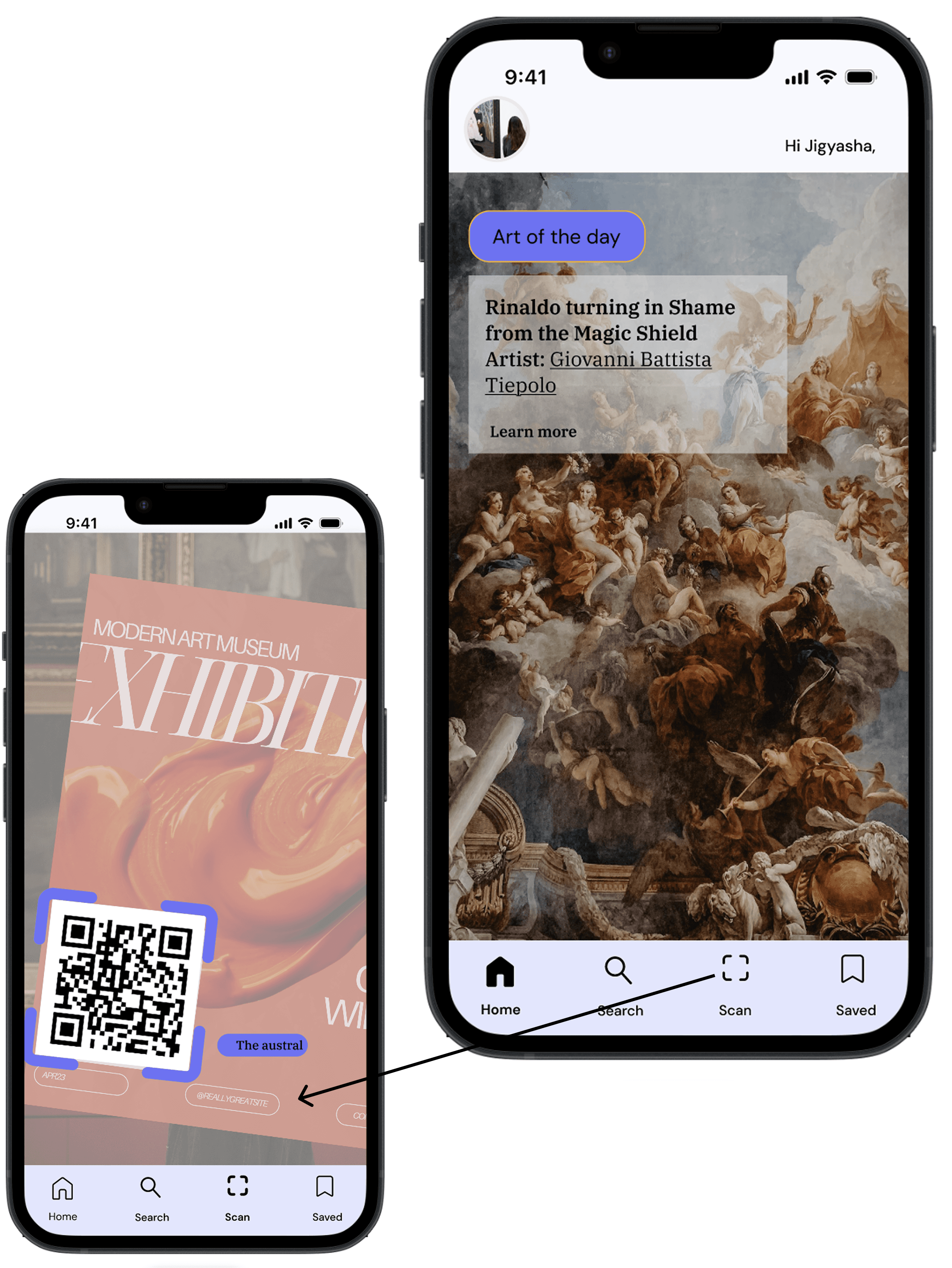
Scan Artwork: Quick recognition with feedback animation.
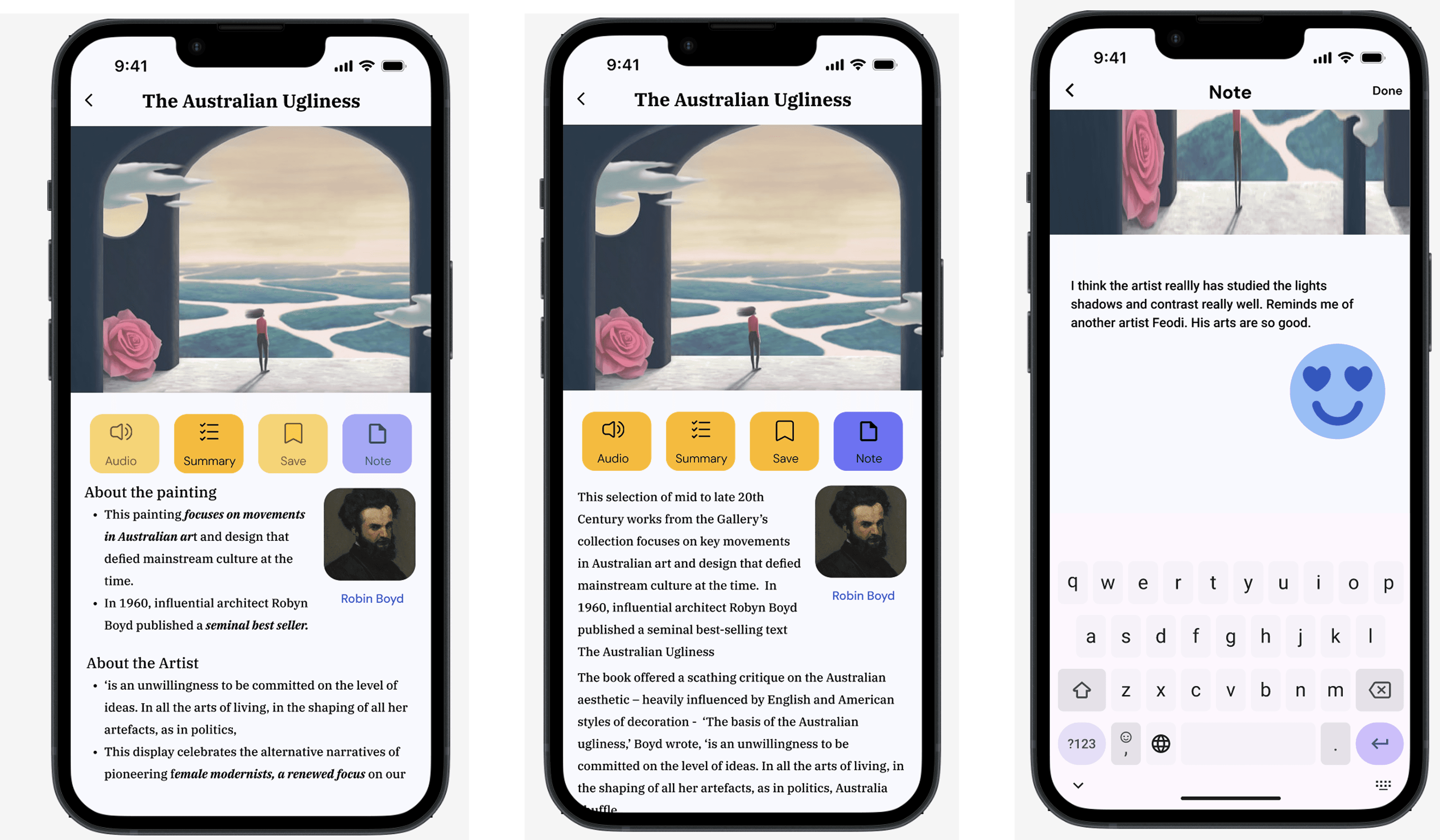
Artwork Information: Core storytelling screen with text, audio, summary and note options.
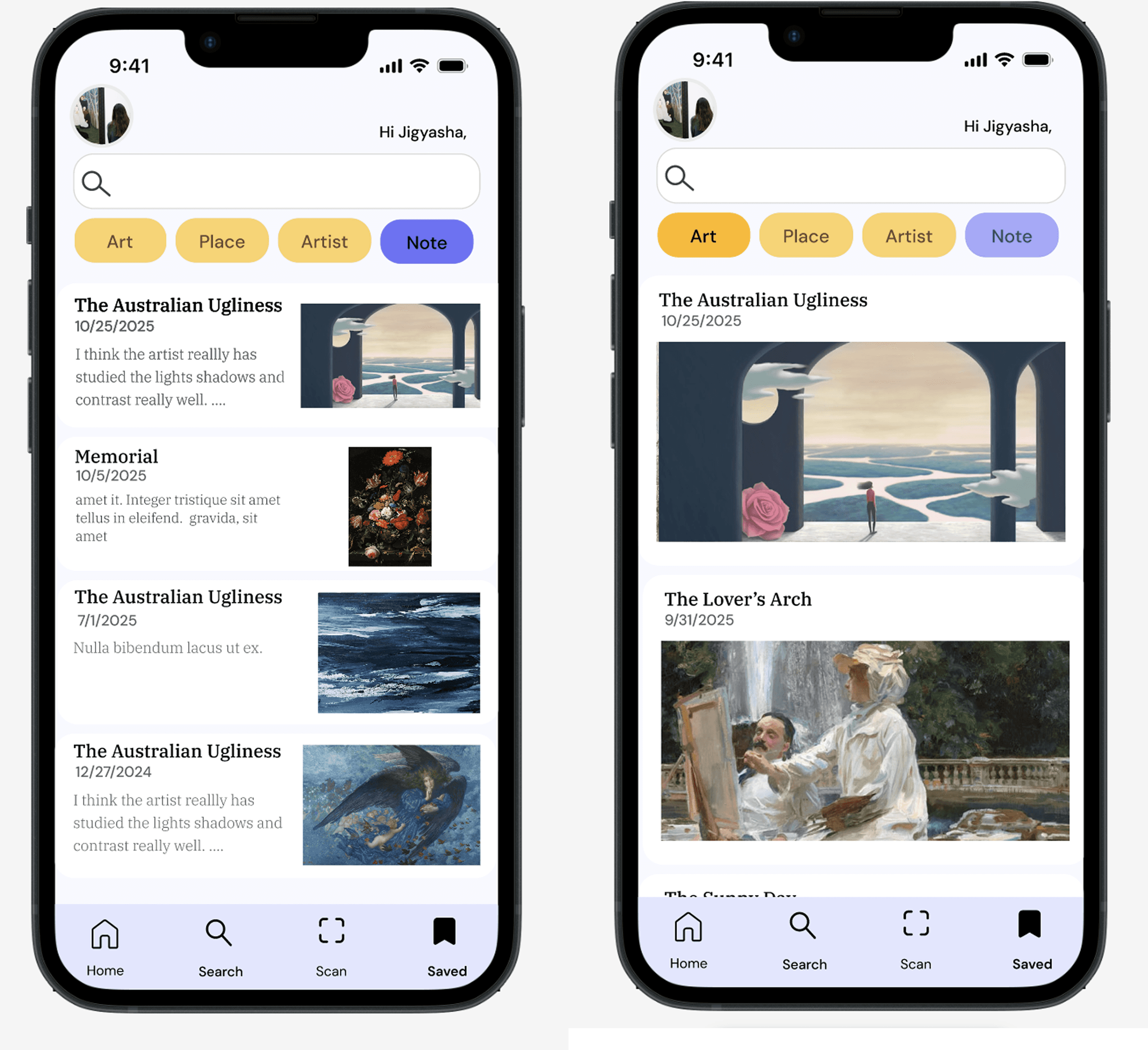
My Gallery Journey: A personal archive for reflection and saved pieces.
Test
5 frequent museum-goers participated in a remote usability test
I ran a moderated remote test with 5 participants using the GalleryPal prototype. Each person completed 4 core tasks to uncover usability issues, opportunities, and quick wins.
Task 1 — Get context for an artwork by scanning
Result: 5/5 participants successfully scanned and reached the artwork info screen.
Observation: People loved the instant feedback and multiple options to scan.
Opportunity: Add a tiny progress shimmer while recognition happens.
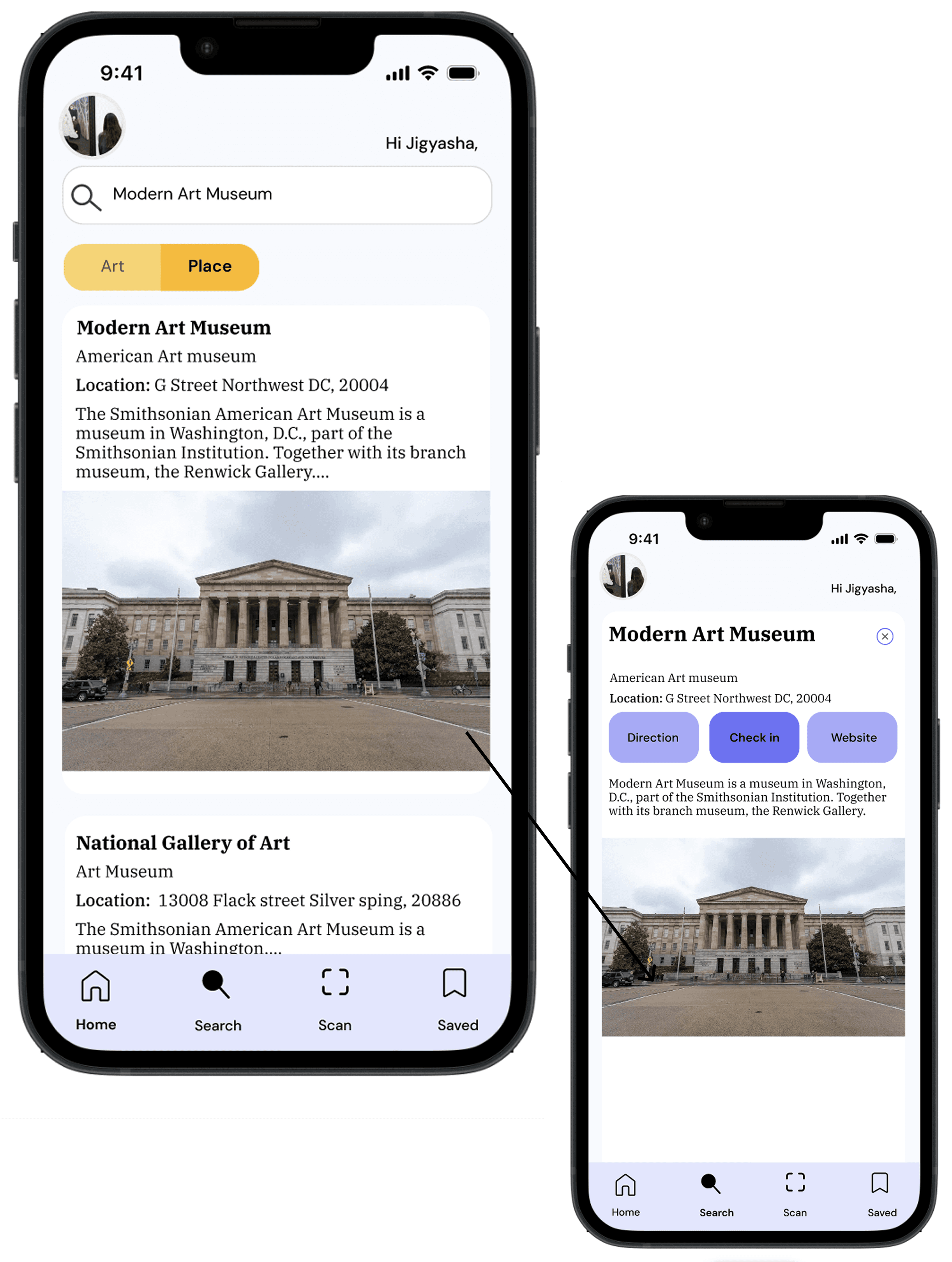
Task 2 — Browse exhibitions at a nearby museum
Result: 5/5 participants found a museum and opened an exhibition page. How they did it: Used the search bar first, then tapped place. Tweak: Keep the filter chips pinned so they don’t scroll off the screen.
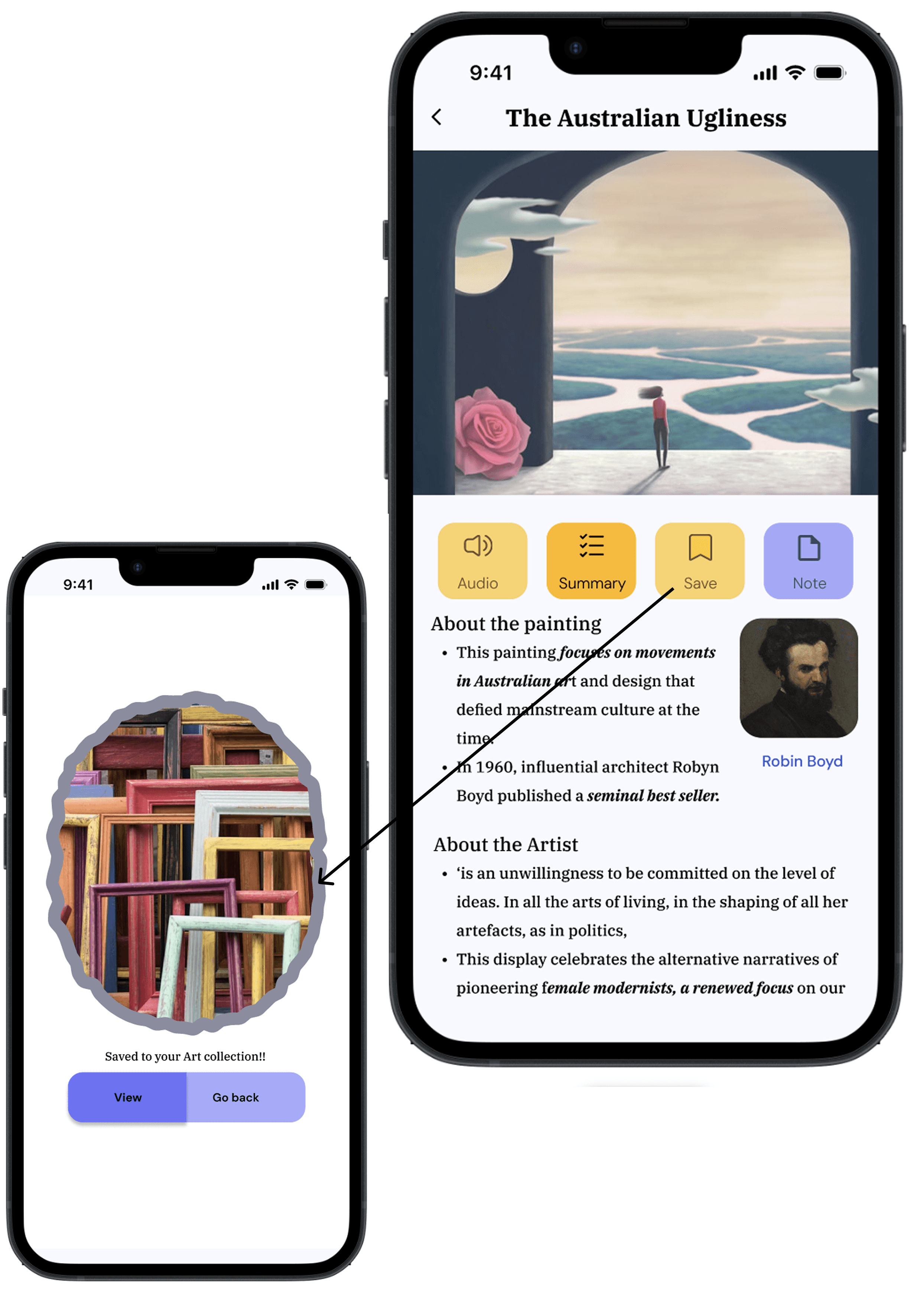
Task 3 — Save an artwork to My Gallery Journey
Result: 5/5 succeeded to save their reads on the first try. How they did it: Once they read the page, they clicked the save button. Resolution: Swapped the icon to a heart, added a toast (“Saved to My Gallery Journey ”). Before → After: bookmark icon ➝ heart + confirmation.
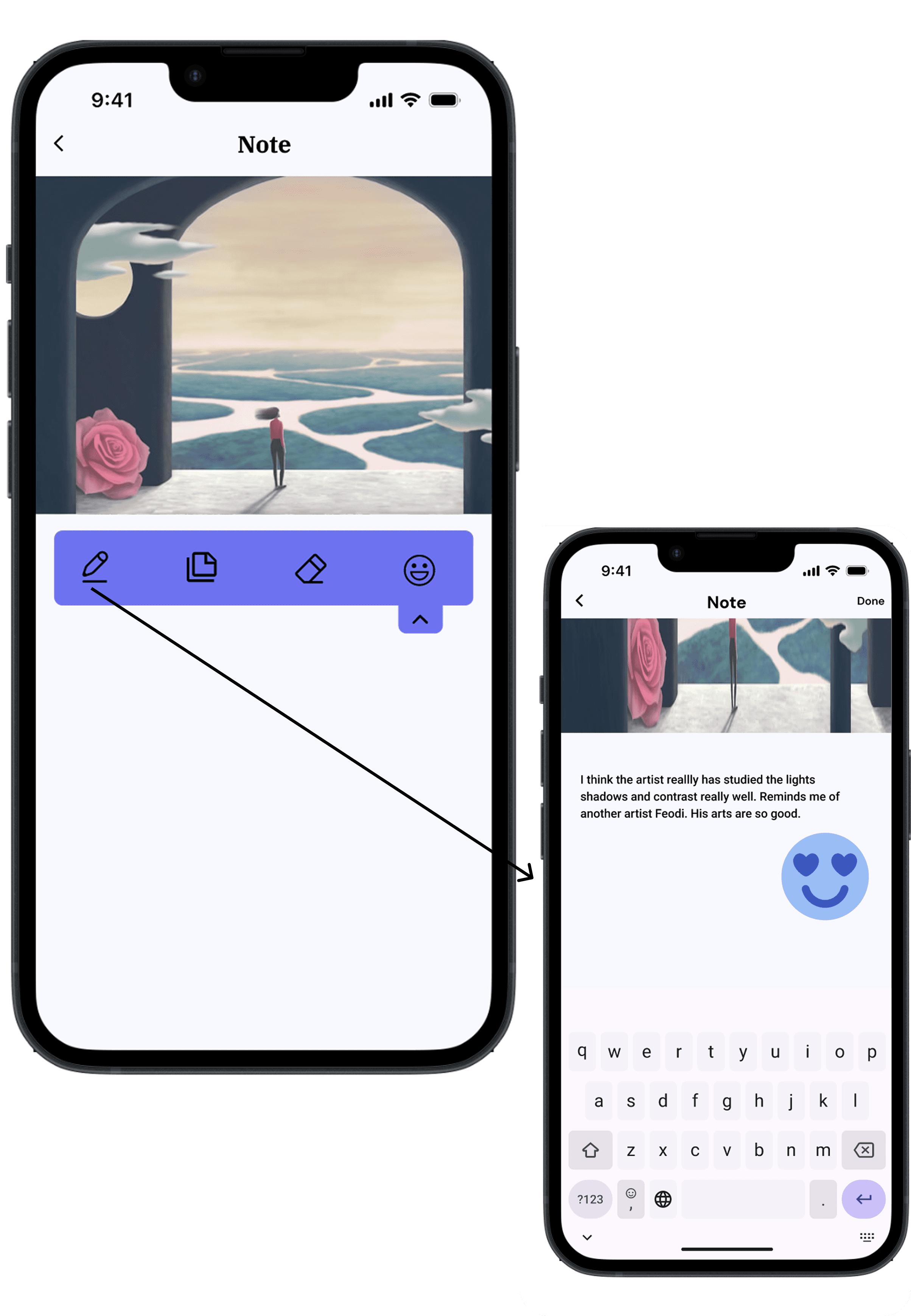
Task 4 — Add a quick reflection note
Result: 4/5 succeeded to save their reads on the first try. Issue: Issue wasn’t the UI but the task of “writing” down your reflection, they were a little confused there. Resolution: Add a pop up that guides them through.
Final Result
Reflection
Throughout this sprint, I learned that designing for cultural experiences requires empathy , balancing information with emotion.
Next Step
Deeper Research: Include more diverse museum visitors in interviews.
Iterative Testing: Conduct multiple rounds to refine flow and content tone.
AR Exploration: Prototype immersive options for future iterations.
Expanded Personas: Explore accessibility and multilingual needs for global users.